


Page 40 - KNORR Pneumatic Disc Brake
P. 40
8


        Caliper Replacement


        8.2.3.  Place caliper (1) onto the carrier (2) and insert the
        caliper bolts (39) and (40). Tighten bolts to 180 Nm, then
        tighten by a further 90° (use only new parts) (see Fig.).

              Screw threads and tapped holes must be clean and       12                             18*
              dry (free of lubrication and residuals of pre-applied
              adhesive).
        8.2.4.  Check that the caliper slides easily on the guide
        pins. (see Section 5.3)
        8.2.5.  Fit brake pads (12) (see Fig. and Section 6.2).   1
        8.2.6.  Check adjuster function (see Section 5.2).
                                                                                                         40
        8.2.7.  Fit brake actuator (18) (see Fig. and Section 12.2           39
        or 12.4).


                                                                 2


                                                                                         * Brake chamber or spring brake

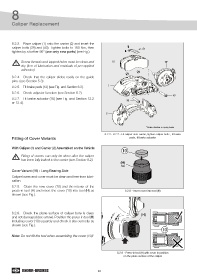
                                                                8.2.3 - 8.2.7 - Fit caliper onto carrier, tighten caliper bolts , fit brake
        Fitting of Cover Variants                                              pads, fit brake actuator


        With Caliper (1) and Carrier (2) Assembled on the Vehicle:
                                                                           10
              Fitting of covers can only be done after the caliper
              has been fully bolted to the carrier (see Section 8.2).
                                                                          (H)
                                                                          T26
        Cover Variant (10) - Long Bearing Side

        Caliper bores and cover must be clean and free from lubri-
        cation.
        8.2.8.  Clean the new cover (10) and the interior of the
        press-in tool (H) and insert the cover (10) into tool (H) as         8.2.8 - Insert cover into tool (H)
        shown (see Fig.).


        8.2.9.  Check the plane surface of caliper bore is clean                      (H)
        and not damaged (see arrow). Position the press-in tool (H)
        including cover (10) squarely and check it sits correctly as
        shown (see Fig.).
                                                                                                   10

        Note: Do not tilt the tool when assembling the cover (10)!


                                                                        8.2.9 - Press-in tool (H) with cover in position
                                                                            on the plane surface of the caliper


                                                            40

